

SleepHQ is one of the biggest players in CPAP data visualization. It has a huge user base, and a charting toolset versatile enough to go toe to toe with OSCAR on robustness. If that's where you already live, you shouldn't have to babysit a file export every morning just to get your data there.
So we added automatic upload to SleepHQ. The moment CpapDash detects a night has wrapped up, it forwards that session straight to your SleepHQ account. Set it once and forget it, and your data is sitting in your favorite platform by the time you wake up.
Turn it on in two fields
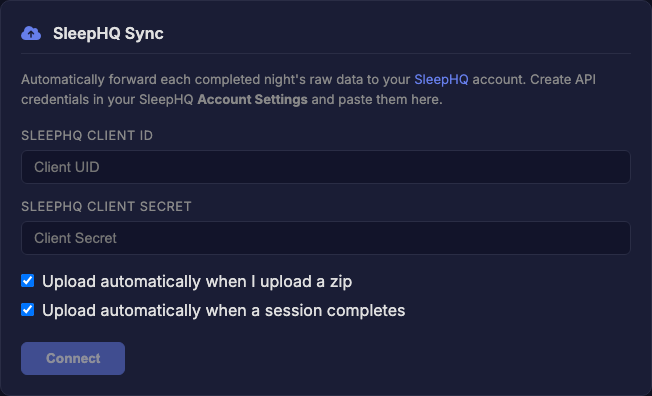
Head to Settings, open the SleepHQ Sync card, and paste the API credentials from your SleepHQ Account Settings. Two checkboxes let you pick the approach you want: upload when you drop in a zip, upload when a session completes, or both.
How the data gets there
One thing worth flagging: this runs through your CpapDash account. The Mule and Miner send your data to CpapDash first, then CpapDash hands it off to SleepHQ. So the full flow looks like this:
CPAP -> ezShare WiFi -> Mule & Miner -> CpapDash -> SleepHQ
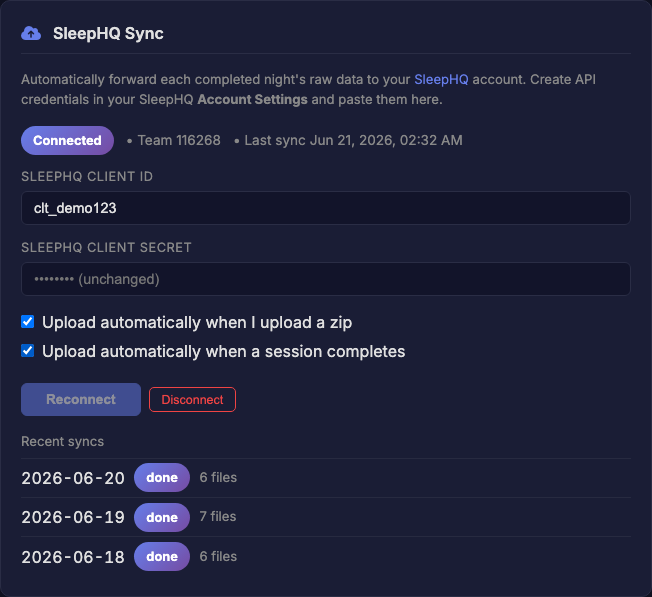
Once connected, every finished night shows up in your recent syncs, so you can always see what made it across.
Prefer to do it by hand?
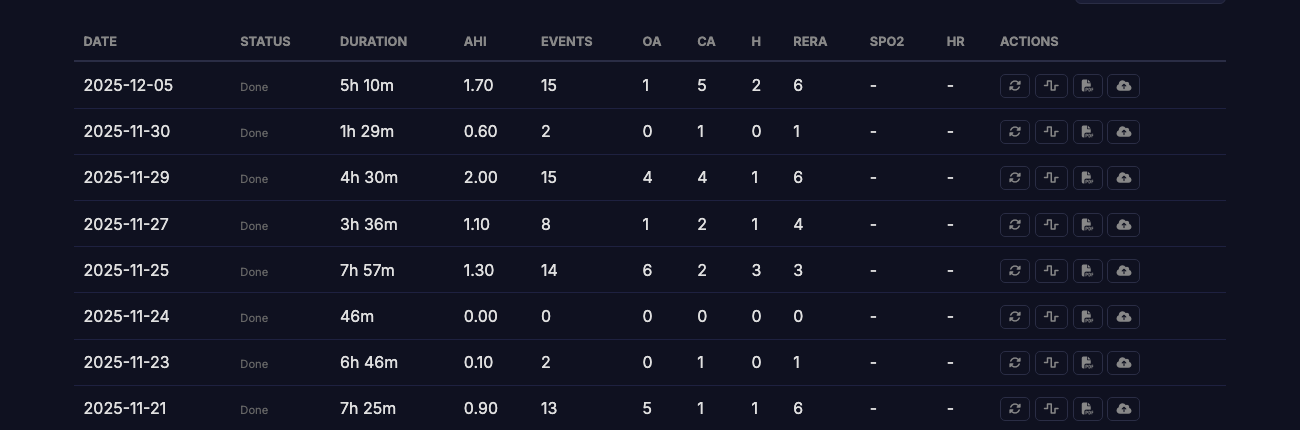
Leave the auto options off and push individual nights yourself from the Sessions tab. One tap on a night's cloud button sends just that session to SleepHQ.
Running it yourself
We also built this into the open-source project at hms-cpap, for folks running their own local install. It polls the CPAP through the same Mule and Miner and pushes to SleepHQ from there, no cloud account required.
Support is available on a free CpapDash account. Hope it helps, and happy syncing.