Understand your sleep.
Own your data.
Every morning, last night is already waiting for you: scored, charted, and explained in plain English. Your data, in the tools you already trust, and always yours to keep.
Nothing will get uploaded anywhere, it stays in your local browser.
for a fully hands off experience (no more pulling the card out)
Learn your therapy, at your pace.
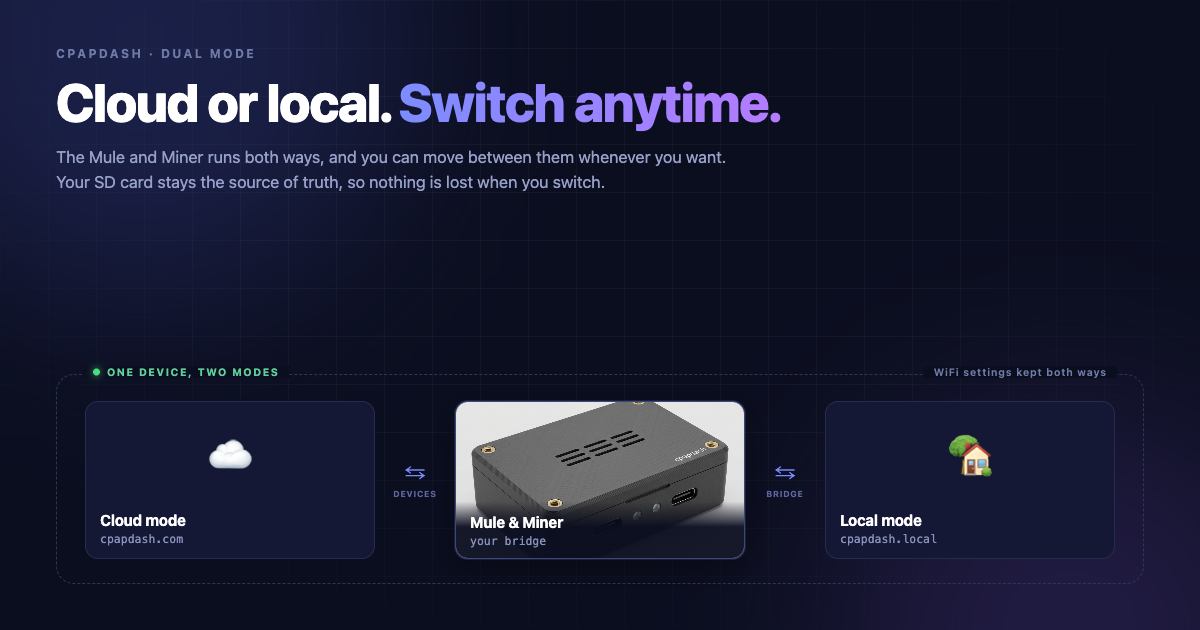
Cloud and Local: Harnessing the power of the Mule and Miner
The Mule and Miner runs in cloud mode or local mode, and you are not stuck with whichever one you picked on day one. Here is what each mode actually does, how to move between them in about a minute, and why your nights are safe either way.
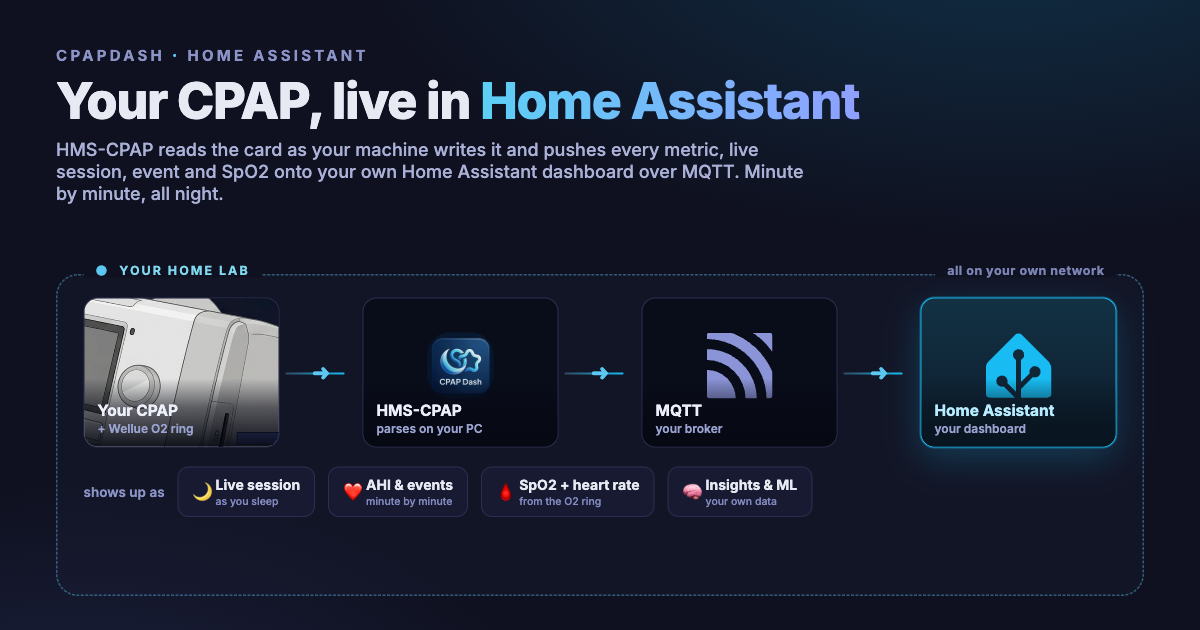
Where it all started: my CPAP in Home Assistant
Before there was a web UI or a phone app, HMS-CPAP was one thing: a little program that read my CPAP and pushed every number into Home Assistant over MQTT. Live session, minute-by-minute events, and SpO2 and heart rate from the O2 ring, all on one dashboard that sits right next to my lights. This is where the whole thing started.
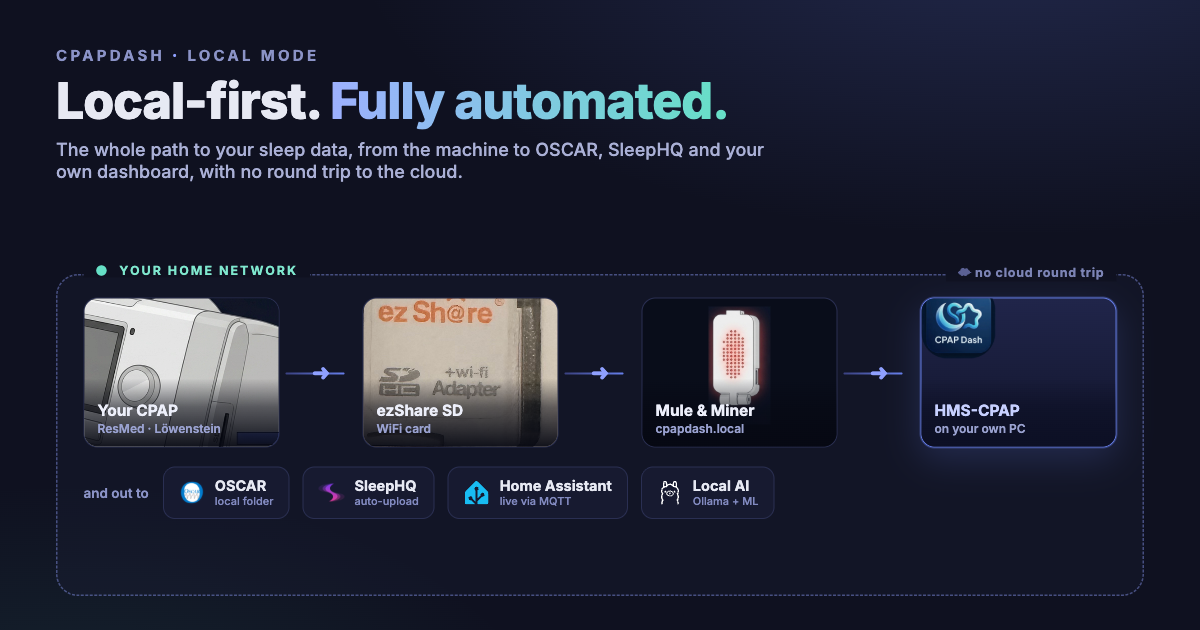
The automated, local-first way to see your sleep data
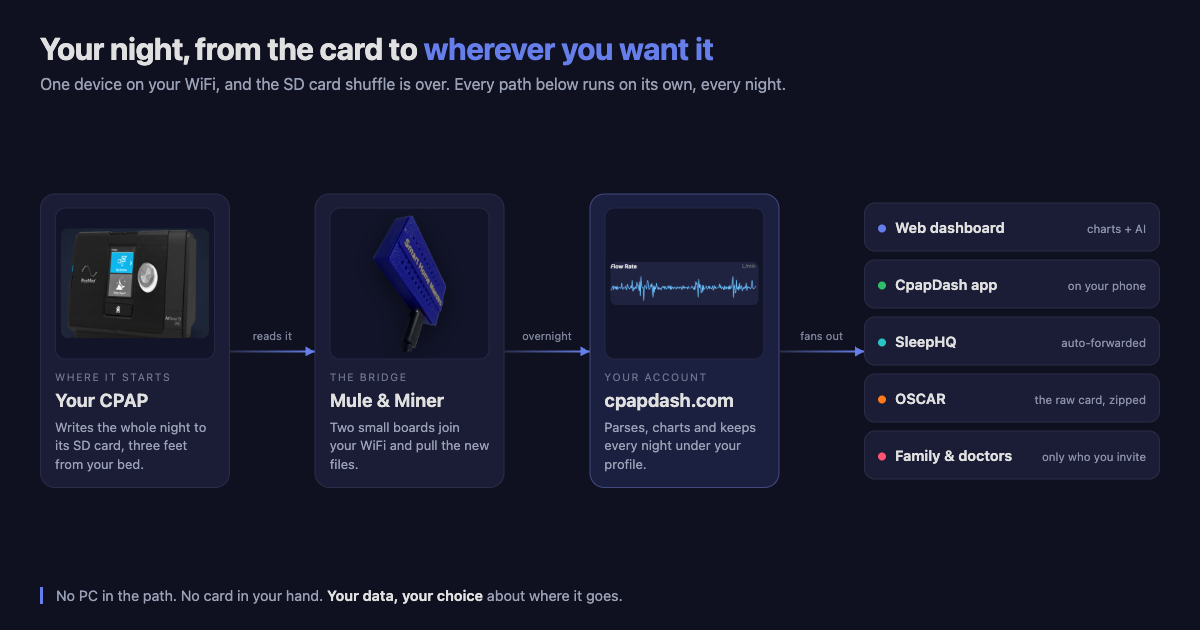
The data is yours, so here is the path that keeps it that way. The Mule and Miner puts every night on your own WiFi as a website, HMS-CPAP charts and summarizes it on your own PC, and OSCAR, SleepHQ and Home Assistant all get fed automatically, without a single trip to the cloud.
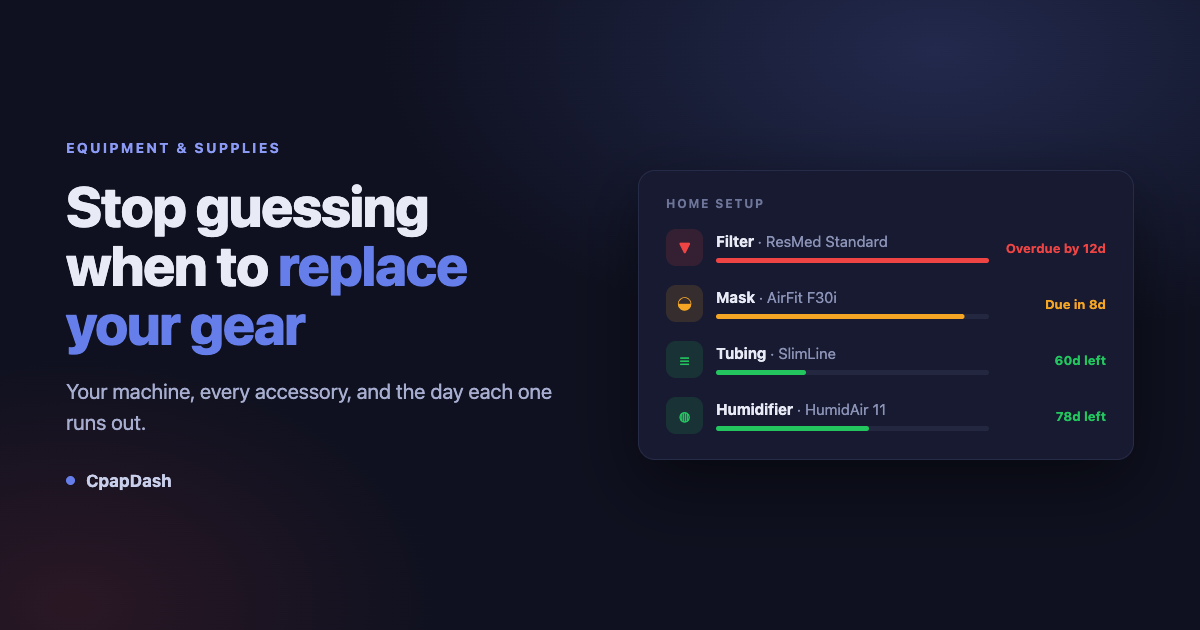
Keep tabs of your equipment and supplies and get reminders right into your pocket
I do not enjoy keeping track of what I have to wash, what I have to change, how long a filter lasts, how long a mask lasts. It is exhausting. So the app keeps the list now: your machine, every accessory, the day you started each one, a bar that turns amber and then red when it is time to swap something out, and a separate cleaning schedule for the washing and rinsing.
Hello CpapDash Cloud: where AI meets convenience and the privacy of your own data
You want to own your sleep data, and so far everything out there either hides half of it or charges too much to hand it over. Here is the whole CpapDash cloud in one article: every chart your machine writes, AI that learns from your nights and nobody else's, an app that carries it all in your pocket, and a download button that gives you the raw card back.
How to Manually Update Your Mule & Miner Over USB
Almost always your device updates itself. For the rare time it can't, here is the simple way to update the Mule and Miner yourself over USB, right from your CpapDash account, in a couple of minutes. Nothing to install, and you can't break anything.
Everything you need to actually understand your therapy.
CpapDash is the software you live in every morning. The device is just how the data gets here.
Every therapy chart
AHI, flow, pressure, leaks, events, and oximetry, drawn clean and readable. Zoom into any night.
Search every event
Every apnea, hypopnea, and RERA you have recorded, in one searchable table. Filter by type or date, then open the night it came from.
Own & export your data
Auto-export to SleepHQ, download to OSCAR, or run fully local. No cloud you do not control.
PDF reports
Build a report for one night or any range of nights, then download it as a PDF to keep or to share.
Works with your machine
CpapDash reads ResMed S9, AirSense 10 and 11, AirCurve 10 and 11, Lowenstein Prisma, Sefam S.Box and React Health Luna. Upload a card, point it at an OSCAR folder, or run fully local, depending on the machine. Philips DreamStation, DreamStation 2 and System One, Fisher & Paykel SleepStyle and ICON, DeVilbiss, Resvent, Yuwell and vREM machines are read experimentally from a card upload, with basic charts.
Equipment & supplies
Track mask, filter, and tubing life, with reminders before parts wear out. On the web and in the app.
A score in plain English
Wake up to one number and a sentence that tells you how the night went, not a wall of medical charts. In the CpapDash app.
Trends & AI insights
See patterns across weeks, get gentle nudges when something drifts, before it becomes a problem.
Ask your own data a question.
Charts tell you what happened. They do not tell you why. The Sleep Agent reads your nights, your trends and your bridge, and answers in plain language.
Tuesday came in at an AHI of 6.1, against 1.4 on Monday. Almost all of the difference is obstructive events between 2am and 4am.
Your mask leak sat at 24 L/min through that same window, against 3 L/min on Monday. The events follow the leak rather than the other way round.
Keep it simple, or keep it local.
Your phone, wherever you are
Open the CpapDash app and see last night's numbers at a glance. Nothing to configure.
OSCAR, the gold standard
Download each night straight into OSCAR, or run HMS-CPAP fully local.
SleepHQ, automatically
Turn sync on once; every night uploads while you sleep.
Which machine you have, and what you'll see.
Every one of them can explain itself. Tap the AI icon on any chart and ask what you are looking at, then keep the conversation going in the Sleep Agent.
ResMed S9, AirSense 10 & 11, AirCurve 10 & 11, Lowenstein Prisma, Sefam S.Box, React Health Luna
Every chart above, native in the CpapDash dashboard. However the data reaches us: the Mule & Miner, an SD card you upload, an OSCAR folder, or fully local with no account at all. A Sefam S.Box or a React Health Luna comes in by SD card upload.
Philips DreamStation 2, DreamStation, DreamStation Go and System One, Fisher & Paykel SleepStyle and ICON, DeVilbiss DV64 and DV54, Resvent, Yuwell BreathCare, Weinmann somnobalance, vREM
Upload the SD card and our compatibility reader reads it: each night's numbers (AHI, usage, events, pressure, leak) with basic charts, without the detailed waveforms, and Pro works the same. SD card upload only. The DreamStation CPAP 200 series and REMstar Plus record only hours, so there is little to show.
AirSense 10 & 11, AirCurve 10 & 11
These are the machines the bridge is demonstrated on, and on them your data flows in live through the night. Lowenstein Prisma returns error 601 with an ez Share card, so CpapDash reads its data but the bridge cannot fetch it for you.
Meet the Mule & Miner.
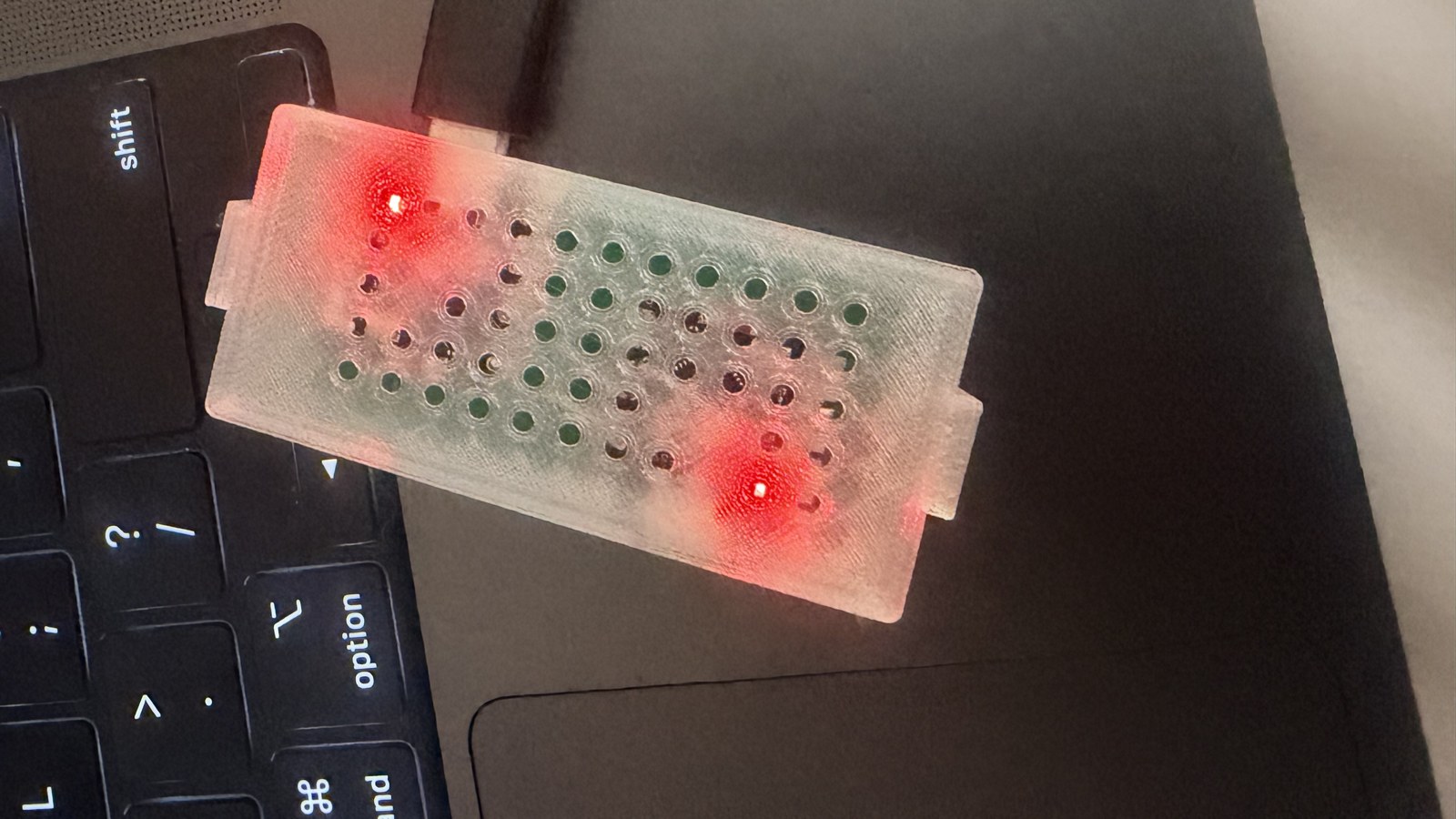
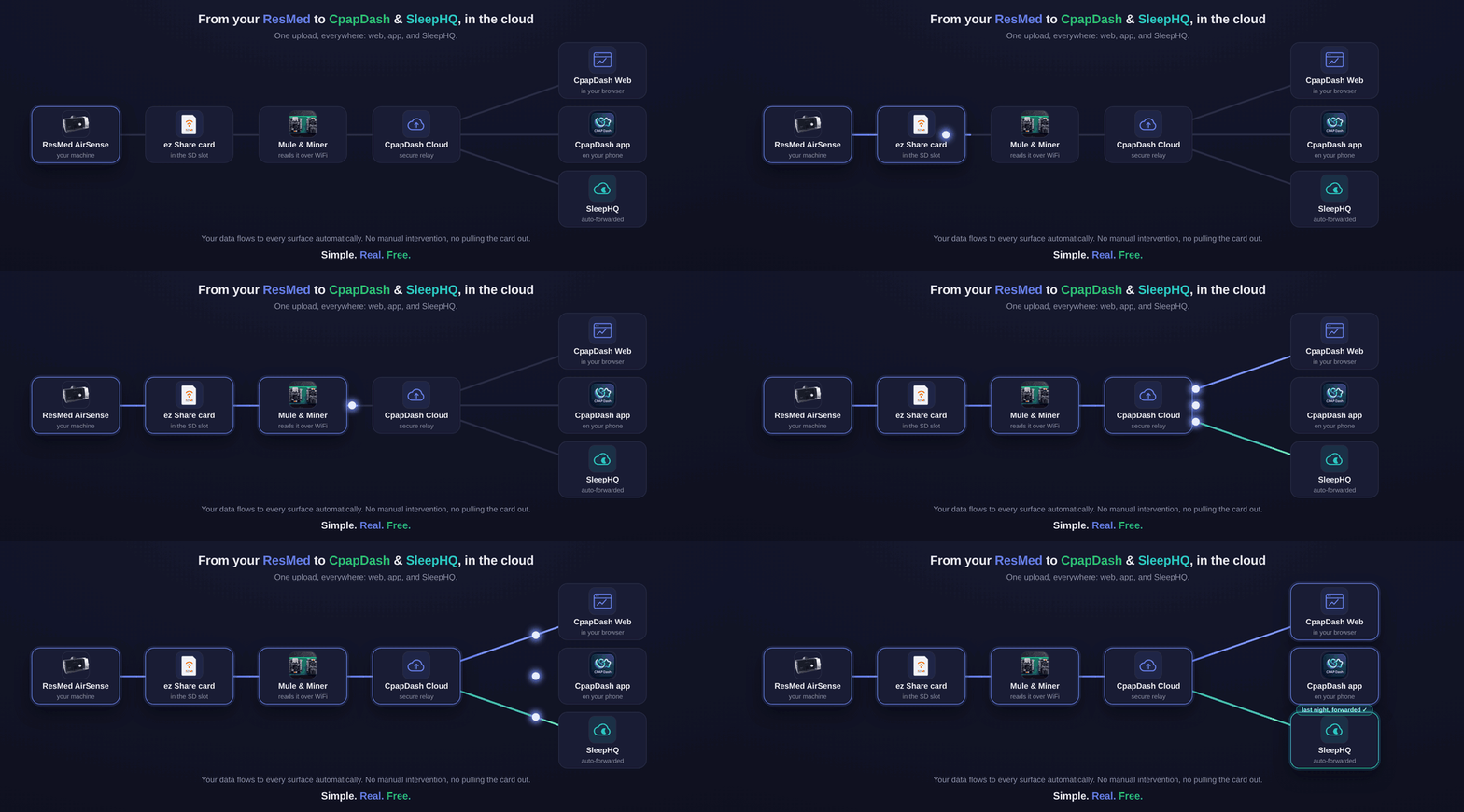
The Mule & Miner is a bridge between the WiFi SD card and your own WiFi, a little device that reads the card and pulls all your data online, automatically.
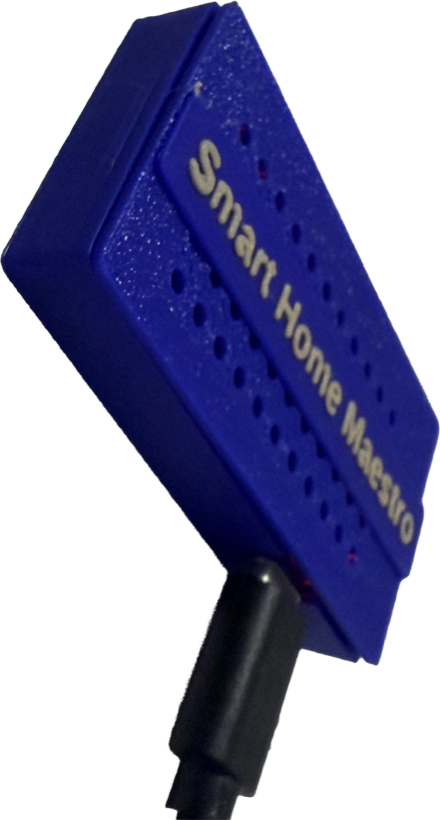
Stop pulling your card every morning.
The Mule & Miner does it while you sleep, so your night is already on your phone when you wake up. It is demonstrated on these ResMed machines:
Find your REF number
The REF is on the label underneath your machine. AirSense 11 REF 39517 has severe power limitations on its SD card slot and often will not run a WiFi SD card at all. If yours is a 39517, contact us before ordering.
CpapDash itself reads more machines than the bridge fits: the ResMed S9, Lowenstein Prisma, Sefam S.Box and React Health Luna included. For those, bring the data yourself with a card upload, an OSCAR folder, or a local install.
Will it work with your exact setup?
Tell us where you want your data and whether you already have an ez Share card. Two taps, and you get a step-by-step setup guide for your exact path, not a generic yes.
Will the Mule & Miner serve you?
Answer these simple questions to find your right setup.
Where do you want your data to end up?
Ready to check it out?
The Complete Kit has everything you need to start tonight.
Your therapy, explained.
The free platform gives you your data, clean and yours. Pro adds the human layer: what it means, what to do about it, and who to loop in.
Every one of these is optional. Your profile, every chart, and your PDF exports stay free, forever, and Pro starts with 30 days free when you subscribe.
Your nights, in your pocket.
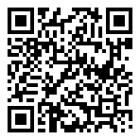
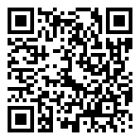
Free on iOS and Android. Scan a code, or grab it from the store.
Started as one person's side project. Still feels like one.
CpapDash began because its founder, a software engineer who is also a CPAP user, got tired of pulling the SD card out every morning and squinting at raw files just to know how the night went. So he built a small device to move the data on its own, and a dashboard that actually made sense of it. Friends on therapy wanted one. Then strangers did. It quietly grew into a real product, an app, and a fleet of little bridges shipping to people's bedrooms, without ever stopping being personal. It is still built by the people who use it every night, still independent, and still stubborn about one thing: your sleep data is yours. Read our story →