

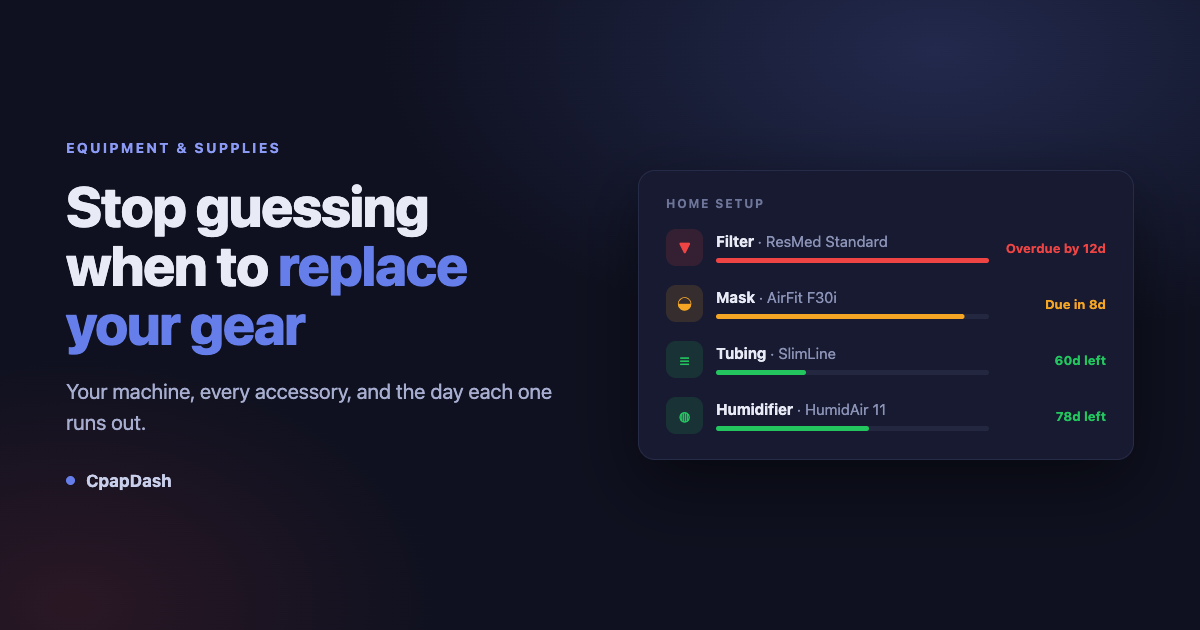
Personally I do not enjoy keeping track of what I have to wash, what I have to change, how long a filter lasts, how long a mask lasts, how long the water tank lasts. It is exhausting for me. Some of it is monthly, some of it is quarterly, some of it is twice a year, and all of it starts on a different day depending on when I actually opened the bag.
So I built a way to keep all of it updated inside the app, and now the app is the one that remembers.
You tell CpapDash what you own and when you started using each piece. From there it counts the days and tells you when the tube is due for a change, when the filter needs replacing, when the next accessories should be on their way.
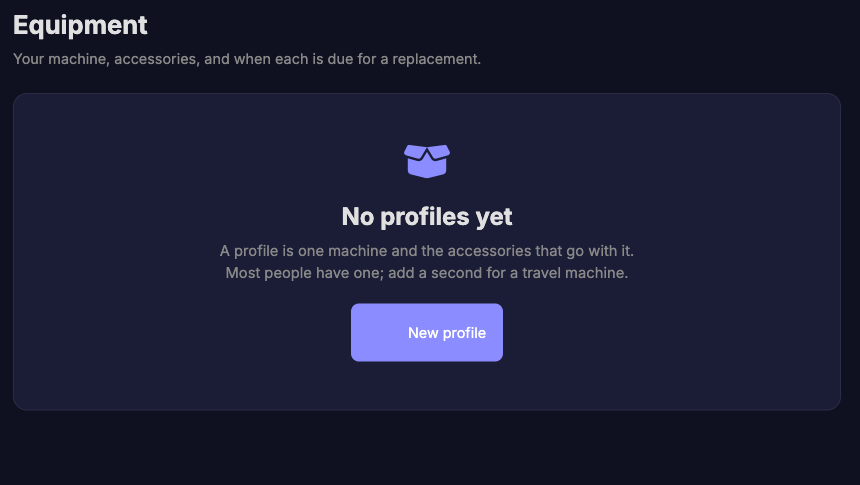
Setup your machine, add the accessories
Everything lives inside a profile. One profile owns exactly one machine and all the accessories that hang off it. Most people have one and that is the end of the story.
When you create it you name it, type in the brand and model of your machine, and tick the accessories you actually have. You are not forced to fill in details right there, and you can add or drop pieces later.
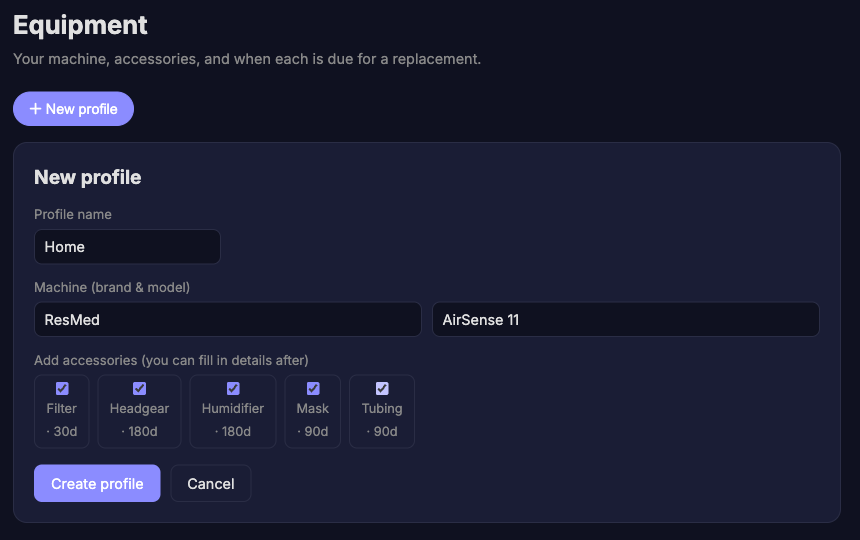
The machine itself never gets a countdown, because it is not a consumable. It can break, of course, but it does not get replaced on a period the way accessories do, so putting a clock on it would only add noise. It sits at the top of the profile as the thing everything else belongs to.
Add your accessory, add the date, the countdown starts
Each accessory relates directly to your own equipment. You put in the brand, the model, and the important one, the day you started using it. That start date is what the whole thing runs on.
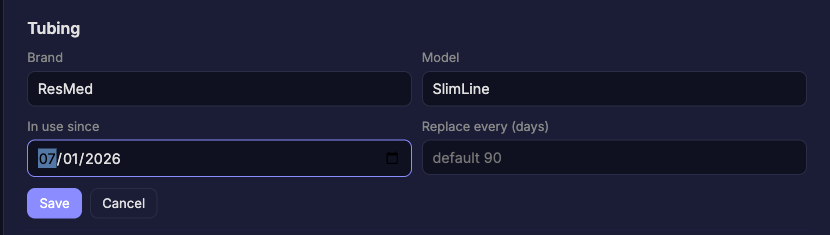
Notice the last field. Every accessory type comes with a sensible default interval, and you can override it per item if your situation is different. If you rinse your mask religiously and it lasts you longer than the box says, put your own number in and CpapDash will respect it.
The defaults it ships with:
- Filter, every 30 days
- Mask, every 90 days
- Tubing, every 90 days
- Humidifier, every 180 days
- Headgear, every 180 days
Leave the start date empty and the item just sits there marked as not tracked. That is on purpose. CpapDash will not invent a date for you and then nag you about a deadline it made up.
The color codes matter
Once the dates are in, the page reads at a glance. Every tracked accessory gets a wear bar and a countdown, and the color is the part that carries the meaning.
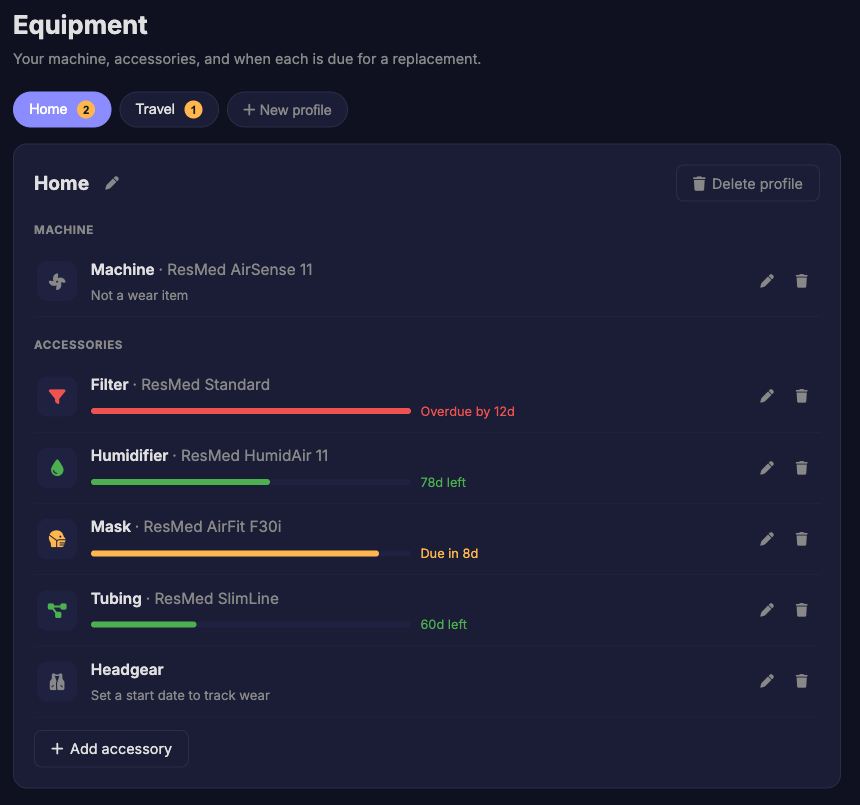
Green means you have time. Amber means you are inside the last two weeks before the replacement date. Red means you are past it, and it tells you how far past. In that screenshot my filter is twelve days overdue, which is exactly the kind of thing I never noticed on my own.
Items with no start date say so plainly, so you can tell the difference between something that is fine and something nobody has told the app about yet.
And yes, we also support multiple equipment profiles
If you are like some people who have more than one machine, you can keep a list of them. A machine for the house, a machine for traveling, whatever you need. Each one becomes its own profile with its own accessories and its own clocks, because your travel mask does not wear out at the same rate as the one you sleep on every night.

The little number on each tab is the count of items in that profile that need attention. Two on Home, one on Travel. You can see which one is nagging you without opening it.
Washing is not the same as replacing
A mask gets replaced every 90 days. It gets wiped every single day. One clock was never going to do both jobs, so cleaning is its own list, on the same page, under the accessories.
Press Add suggested tasks and it fills in the usual routine: wipe the mask cushion daily, empty and rinse the water tub daily, wash the mask, the tubing and the headgear weekly, check the filter monthly. It only offers jobs for gear you actually have, so if you do not run a humidifier you are not asked about a water tub.
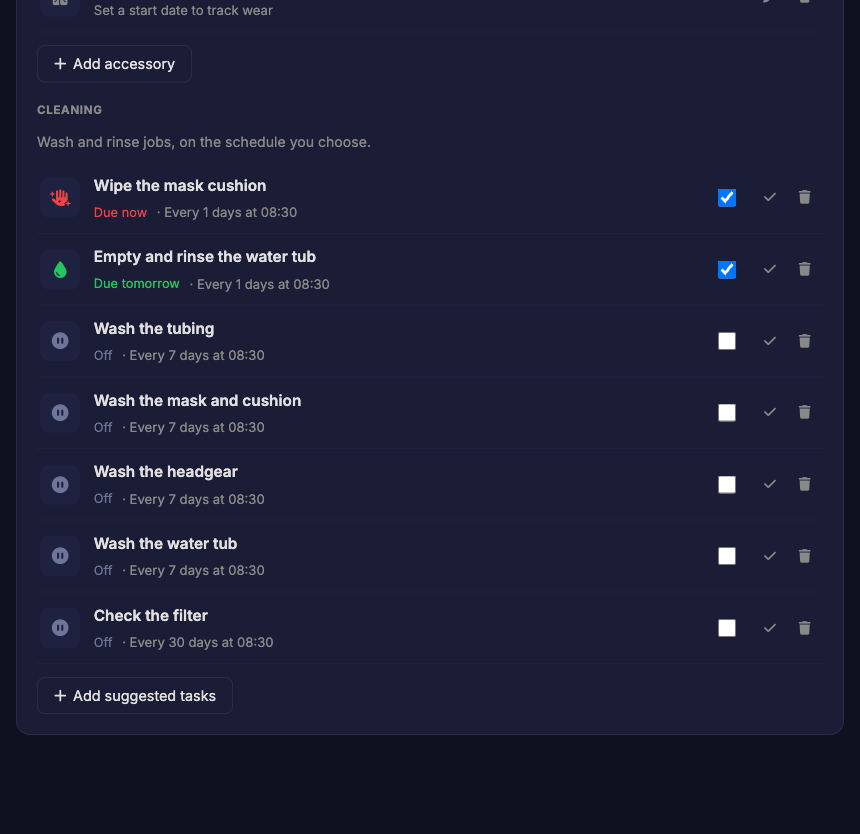
Everything arrives switched off. Nothing bothers you until you turn it on, and each task carries its own repeat and its own hour, so the tube wash can sit at ten in the morning and the mask wipe at half nine at night if that is when you actually do it.
Marking one done is what restarts its clock. Not a fixed calendar you have to keep up with, just a count from the last time you actually did it. Wipe the cushion at eleven at night and the next one is due tomorrow morning, not in fifteen minutes.
The reminders live on your phone
A page you have to remember to open is about as useful as a note on the fridge. The point of this is to get reminded in time.
In the CpapDash app, under notification settings, there is a toggle called Supply reminders, described as a heads-up before gear hits its replacement date. Turn it on and your phone tells you before things run out, instead of you discovering it when the mask starts leaking. The app's dashboard also carries a pill telling you when something is past due, so it is in your face the moment you open it.
Your equipment list is stored on your account, so what you enter on the web is the same list the app reads. Fill it in wherever you happen to be.
Go try it
That is the whole feature. Put your machine in, tell it when you started each accessory, and let it count.
It makes life a lot easier and this whole process a lot more bearable. I invite you to look at it, try it, and tell me what you think.