

If you are here, you want to own your sleep data. You want your therapy to improve on real numbers, and so far nothing on the market has hit that sweet spot, or the thing that gets close asks too much money just to hand you your own readings. Then you heard about the CpapDash movement and thought, sure, let's see what this kid is talking about.
First of all, thanks for calling me kid. I have been feeling younger since I started tracking my own progress with the CpapDash stack.
Second, and this matters more: I think you are in the right place. A year ago I felt exactly like you. I signed up for the manufacturer app and for five days straight I watched a single Score number go up and down with no explanation beyond "you should sleep more and you'll see results." Well yeah. I'm trying.
My data sat three feet from my bed
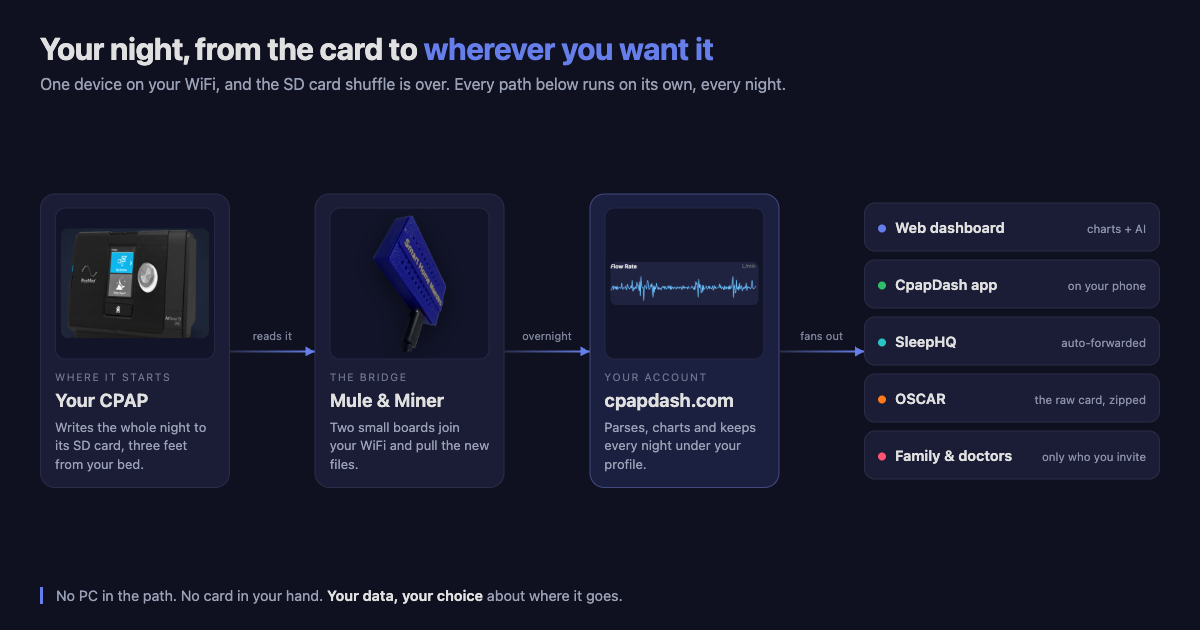
Then I found out my data was sitting three feet from me every night, on a convenient little SD card. Convenient, and still somehow far away, because actually reading it in OSCAR meant the whole round trip: pull the card, walk it to a PC, import, look, walk it back.
I'm a curious guy. I also run a home lab with a couple (hundred) services, devices and automations, and I was fairly sure I was not going to let a CPAP machine win the automation contest.
Long story short, today there is a network bridge kit built for exactly this. It puts my CPAP on my own WiFi, and from there the ball was on my side of the court. I could point AI at the problem and stand up a service that gave me my data live, in my own home lab.
That is the boring part of the story, though. Because you are probably thinking: great, you're the home lab guy, what about me and my one Windows PC? How do I get my data without all that hassle?
You don't need a PC at all
For you I built the whole thing at cpapdash.com and wired it straight to the network kit. Which means a couple of things.
You don't need a PC at all. Let me repeat that one. You might be thinking "sure, but I still need OSCAR." No, you don't.
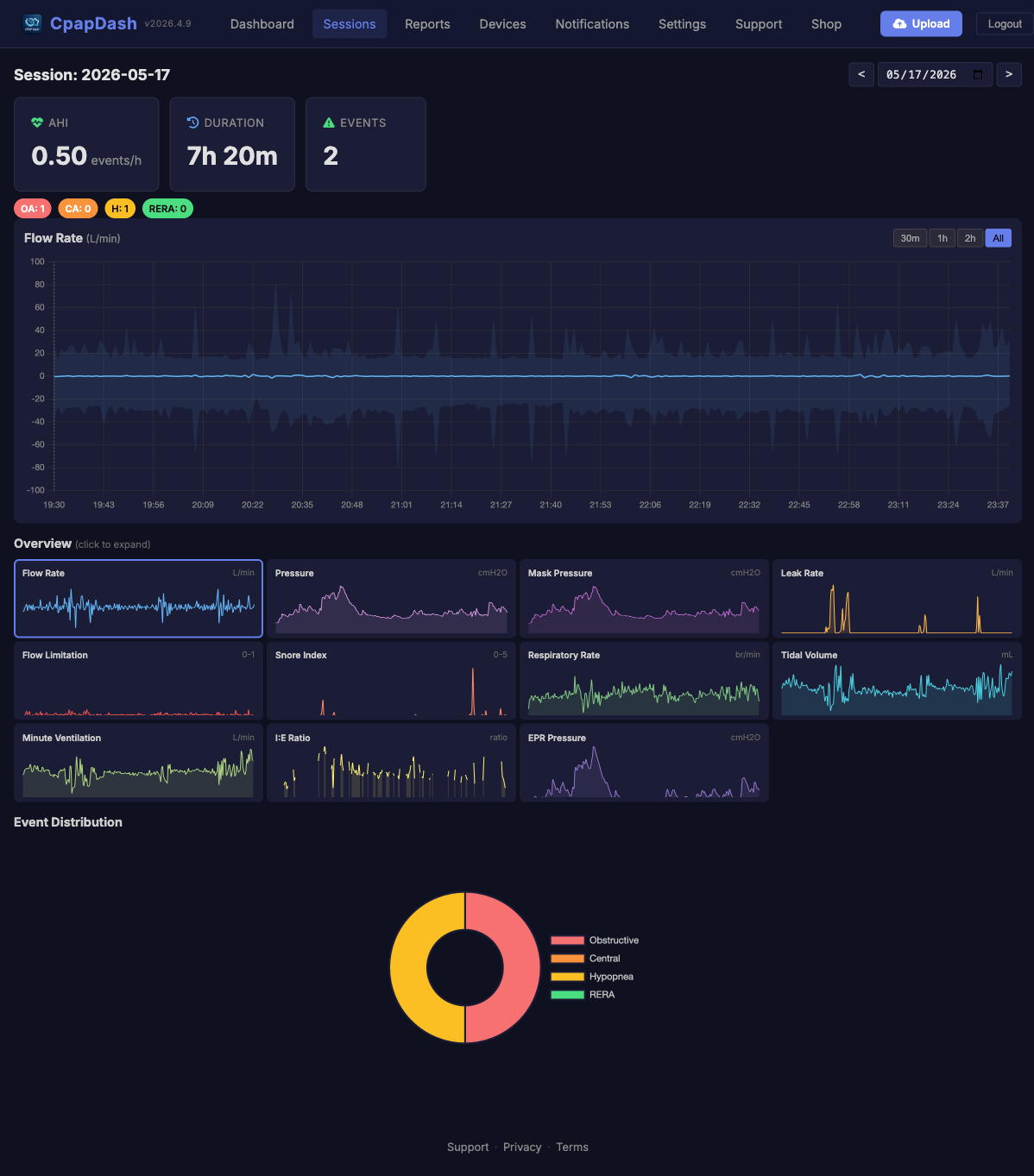
cpapdash.com charts your data and gives you access to every metric your machine records. That means the sinusoidal waveform of your minute by minute breathing, pressure, leaks, respiratory events, snoring, and a long etc. Charted per session, so you can go into a single night and follow what your body actually did.
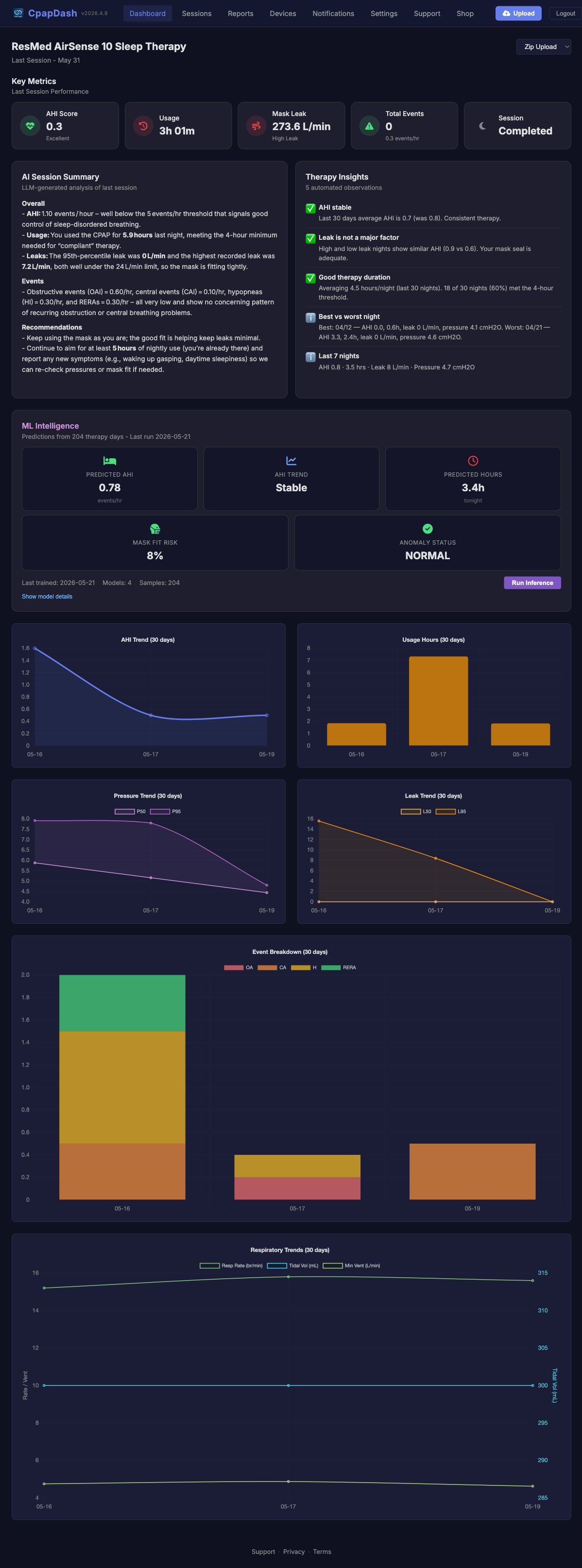
And next to it, the summary your machine emits by itself, in a dashboard that shows you the same thing the official manufacturer app would, without hiding the rest.
Here's where it gets interesting
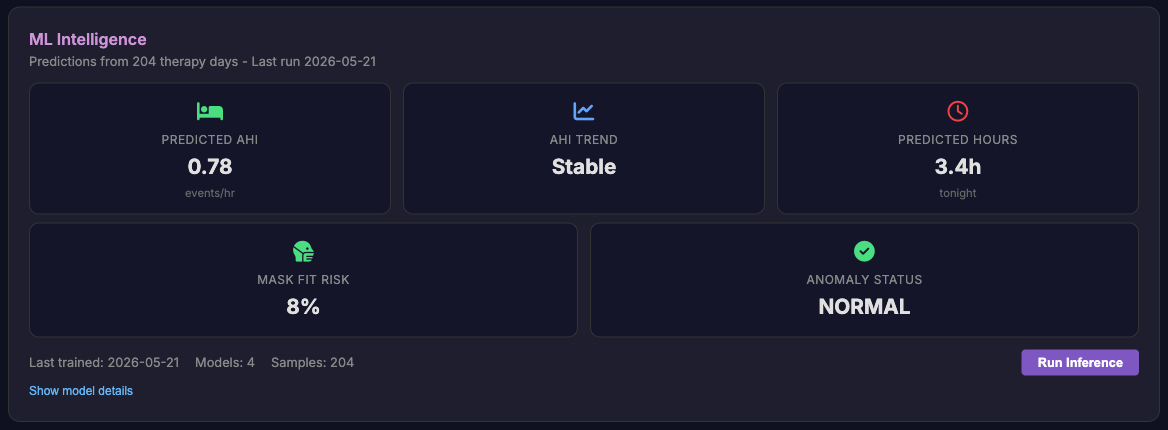
On cpapdash.com you also get personal insights powered by AI trained on your own data, so the trends are never somebody else's. There is a real model behind that sentence: your account gets its own set of models, fitted only to your nights, and they retrain every week. So every cycle the insights get a bit more useful to you specifically. It needs about two weeks of nights before it has anything worth saying, which is the honest tradeoff of training on you instead of on a crowd.
There is also a daily summary that explains what happened during the night at a glance, so you can read it and get on with your day. You can generate a few of these over a custom range of dates too, which is how you get your trends explained back to you in plain language.
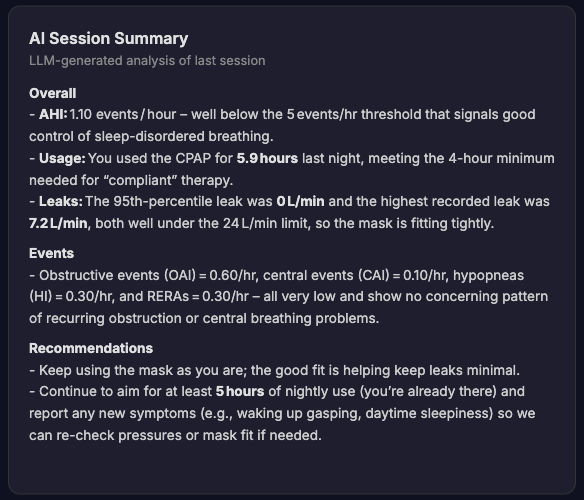
This will never replace professional medical advice, and it is not meant to. It sends you to your own physician every single time. What it does do is red flag bad patterns and numbers out of range for you. For me, knowing all of this first hand is a huge relief.
Then it goes in your pocket
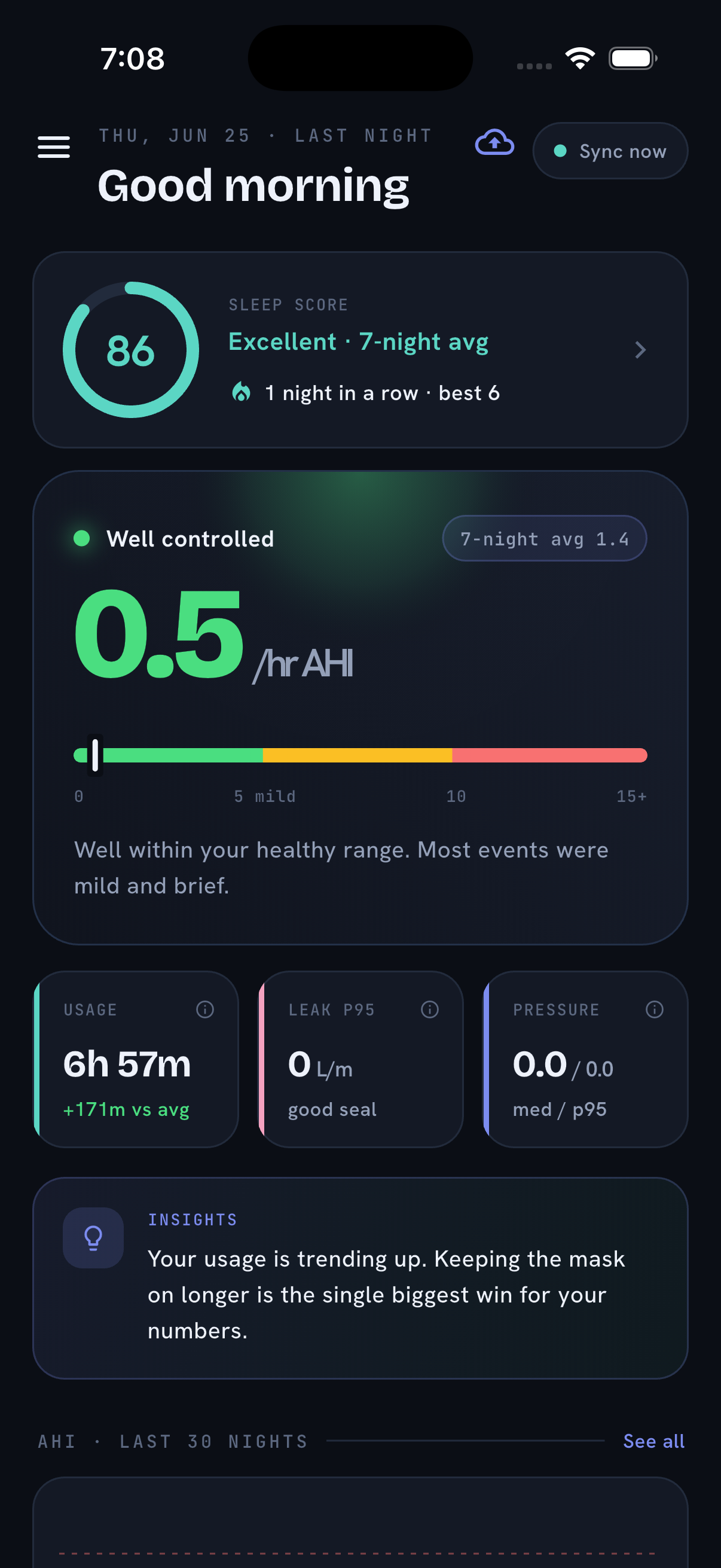
Then the CpapDash app carries all of it into your phone. Connect the app to your cpapdash.com profile and your nights sync down onto the device, so the charts and the numbers travel with you instead of waiting on a desk somewhere.
No sneaker net. No SD card round trip. No nonsense.
Which machines this covers today
Straight answer, because it matters more than a marketing line: ResMed AirSense 10, AirSense 11, AirCurve 10 and AirCurve 11. That is the list, and it is the list because those are the machines the Mule & Miner is actually demonstrated on.
An earlier version of this post also named Lowenstein Prisma. Several Prisma machines have since been shown to fail with an ez Share card, throwing error 601, so that was a promise I could not keep and I have taken it off. The parser still reads Prisma files perfectly well; it is the card in the machine's SD slot that does not survive the trip.
Check your REF number before you buy anything, on the label underneath the machine. AirSense 11 REF 39517 has severe power limitations on its SD card slot and often will not run a WiFi SD card at all.
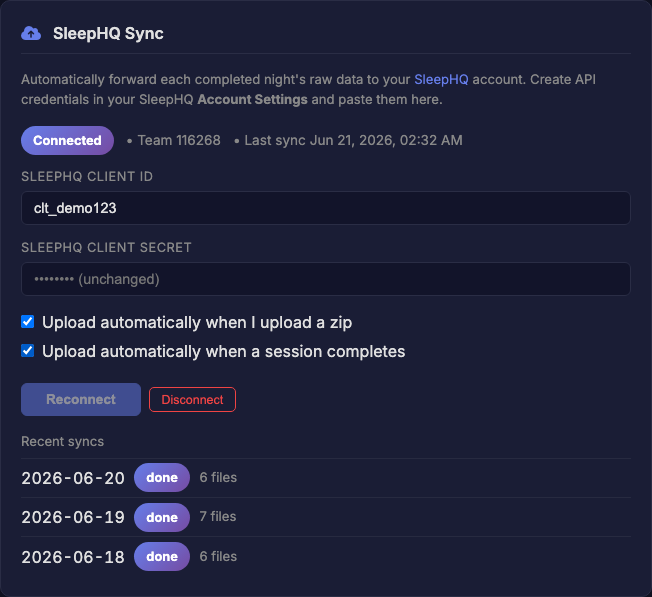
If you are a SleepHQ user, your data still gets where it needs to go. CpapDash forwards every finished night to SleepHQ automatically, so you can get your insights over there, on their platform. Just not from us, not yet.
The things only a cloud can do
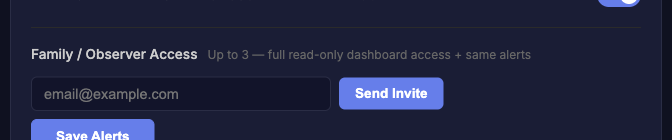
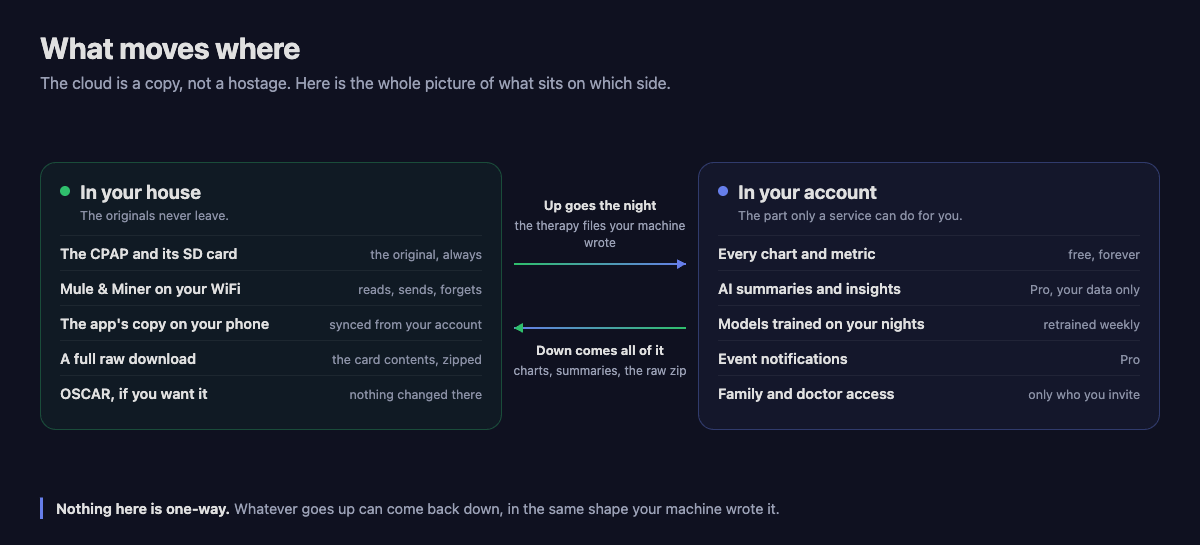
Once your nights are in an account instead of stuck on a card, some of this gets easy. Event notifications, so you hear about a bad pattern instead of discovering it three weeks later. Sharing your charts and reports with family or with your doctor, read only, only for the people you invite.
And for the long time SleepHQ users, you can set your data to upload there automatically, with nothing left for you to do.
And if you just want your data back
Your data, your choice, so you can always download everything from the cloud. What comes down is exactly what your SD card was carrying, which means you can drop it on your old Windows PC and open it in OSCAR. That hasn't changed at all, and it isn't going to.
What costs money, and what doesn't
Your profile, every therapy chart, PDF exports, and getting your data out to SleepHQ, OSCAR or a fully local setup are free, forever.
The AI layer is the part I pay a third party for, so it needs a plan: the plain-English score each morning, the ML trends and insights, family or caregiver access, and event notifications. That is CpapDash Pro. It starts with a full month free, automatic when you create your account, no credit card. After that it is $7.99 a month or $79.99 a year, and you can cancel anytime.
This is the whole shebang in one short article. Sure, let's go with short. There is more of the CpapDash stack to come.
Keep in touch. And sweet dreams.