

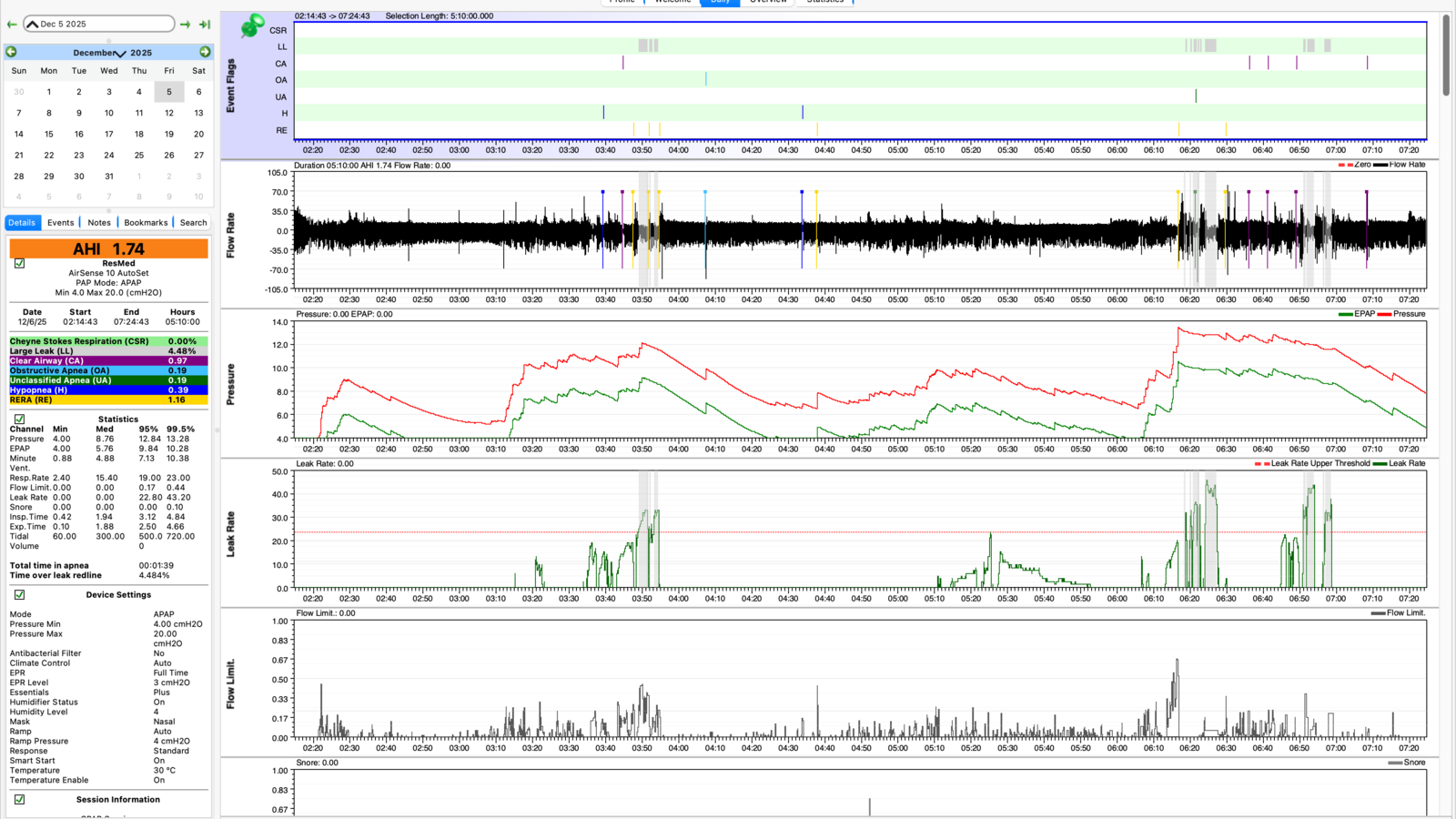
I built a whole ecosystem, for myself, just to avoid opening OSCAR every day. Opening OSCAR meant actively sitting at my PC to stare at my data and make sense of all those graphs. Not my idea of a morning. But hey, I'm not judging.
If you still just want your data on your PC to look at it in OSCAR, I have options for you.
A quick word on OSCAR
What is OSCAR? At this point, if you've read this far, you already know. OSCAR is great. OSCAR is free. OSCAR is pro-grade, the gold standard for CPAP folks who want every last data point on their own machine, no cloud, no account. I'm not here to talk you out of it. I'm here to make feeding it dead simple.
Yes, it still involves an ezShare SD card sitting in the SD slot of your CPAP machine. From there, all you really need is a device with the resources to connect to that ezShare WiFi and serve the data on your own home network. That is the whole premise, and it's exactly what the Mule & Miner does.
The other half is HMS-CPAP: the open-source, fully local mirror of the CpapDash cloud. Same parsing, same dashboards, running entirely on your own machine, free. You can see exactly what it is at cpapdash.com/opensource. It keeps a local folder updated in the exact same raw format OSCAR reads, so nothing gets converted and nothing gets lost.
The setup
- Insert your ezShare SD card into your CPAP.
- Plug a Mule & Miner into a wall outlet near the CPAP with a USB-C cable.
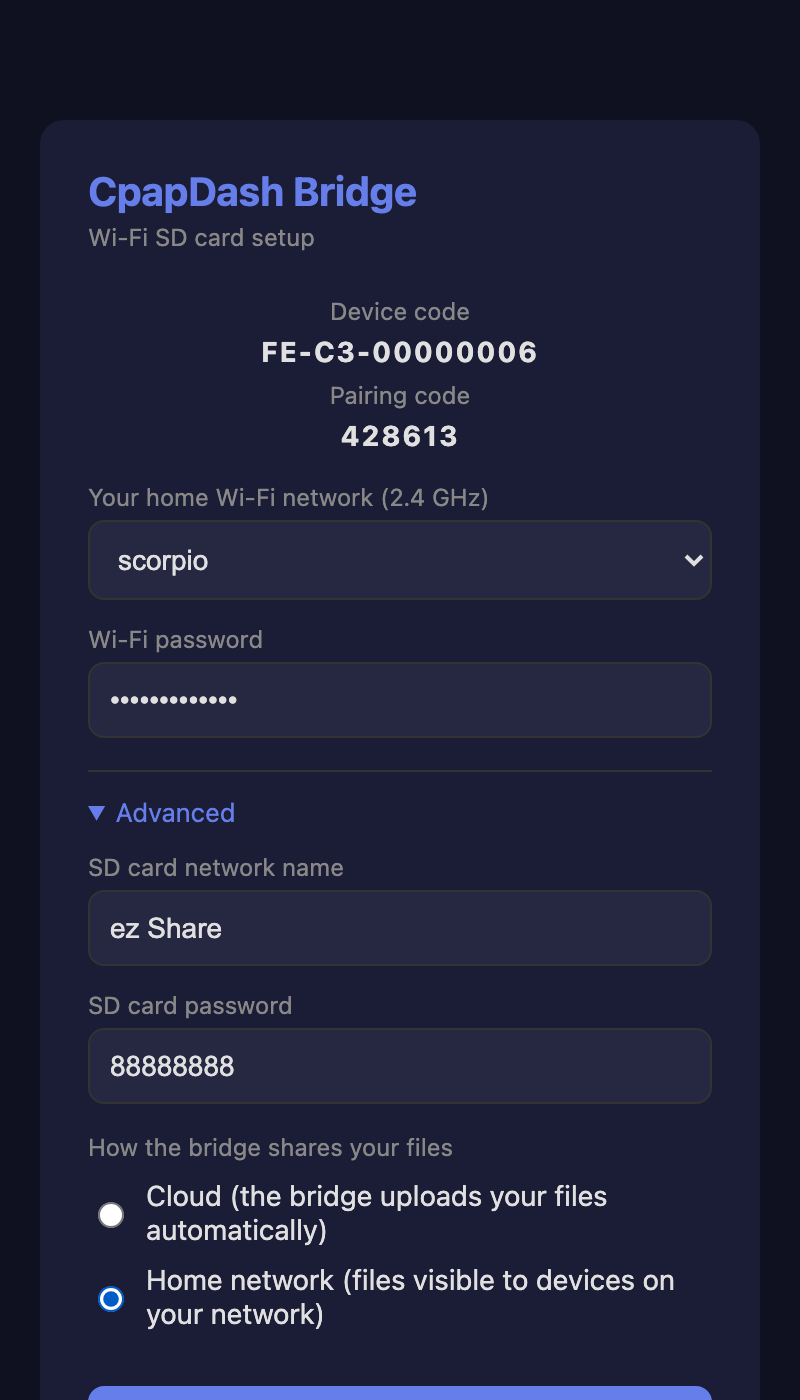
- The first time it powers on, the bridge makes its own Wi-Fi network called CpapDash-XXXX. Connect your phone or computer to it and a setup page opens on its own.
- Pick your home Wi-Fi and password. Open Advanced and choose Home network so the bridge serves your data on your own network and nothing goes to the cloud. Hit Connect.
- Give it a minute to join your network; from then on it's reachable at
http://cpapdash.local. - Download the latest HMS-CPAP release from GitHub: hms-homelab/hms-cpap/releases.
- In its
config.json, point it at a shared local folder on your PC:
{
  "source": "local",
  "local_dir": "/shared/dir/in/your/pc/cpap/DATALOG"
}
- Open OSCAR and point it at that same local directory.
- Walk to your PC every morning and reopen OSCAR.
Your data will be there, updated, no problem at all.
Or skip the PC round trip
Or you can skip all of that and just open the HMS-CPAP web page to see your data right there. Same dashboards as the cloud, running entirely on your own machine.
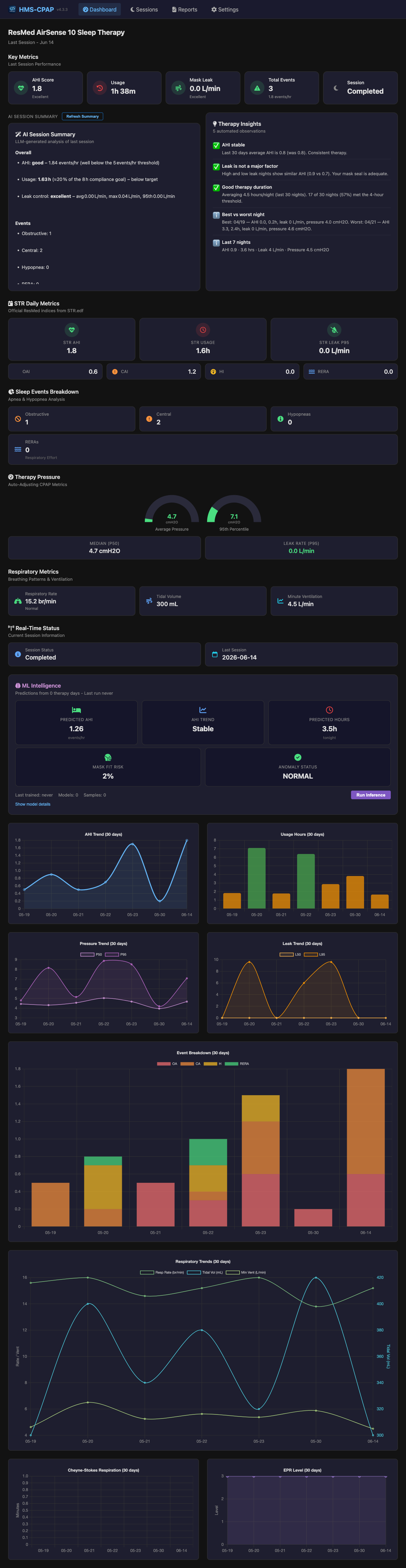
Or, faster still, see it in the CpapDash app on your phone. No more morning walk to the PC.
But hey, either way, I've got you. Your data, your choice.