

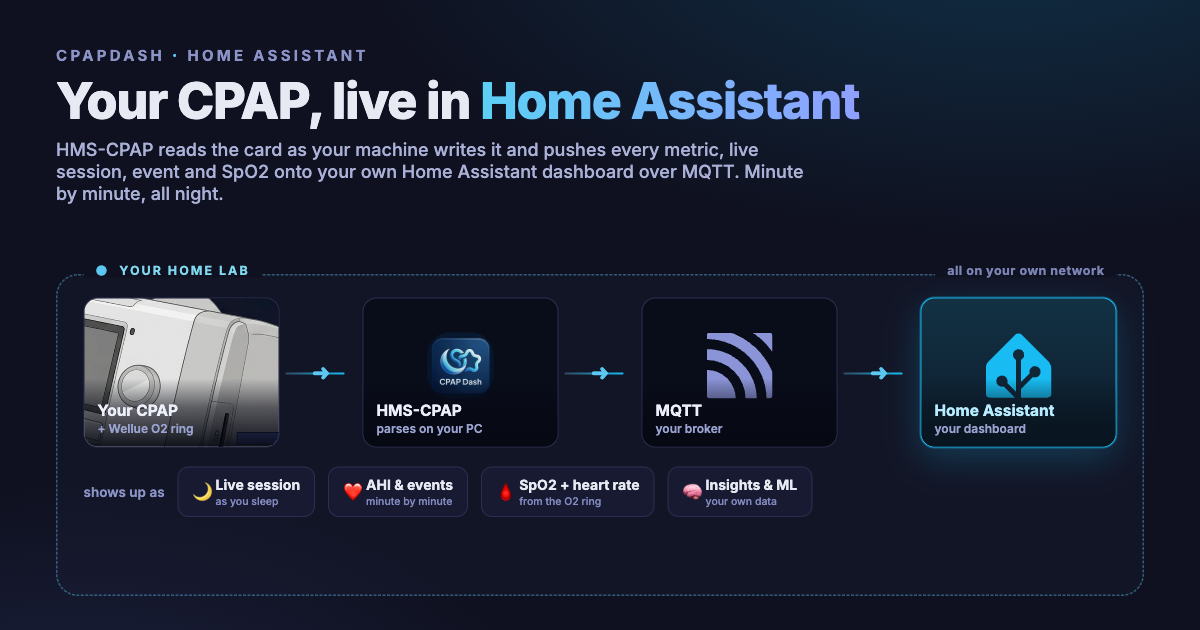
In the last post I walked through the all-local path: your data off the card, onto your own network, and into OSCAR, SleepHQ, or HMS-CPAP, with no cloud in the middle. This one is about the corner of that story that means the most to me, because it is the corner where the whole thing actually started: Home Assistant.
Before there was a web UI, before there was a phone app, before there was a cloud, HMS-CPAP was one thing. A little program that read my CPAP and pushed every number into Home Assistant over MQTT. That was it. And honestly, for a long time, that was all I needed.
Before the web UI, it was just MQTT
When I say every number, I mean it. HMS-CPAP publishes around 47 sensors into Home Assistant on its own, through MQTT auto-discovery, so you point it at your broker and they just appear: your AHI, your pressures, your leak, your events, your usage, the state of the current session. Home Assistant does the drawing. I did none of it. My therapy was suddenly sitting on the same dashboard as my thermostat.
It reads the night as it happens
HMS-CPAP does not wait for the morning to add it all up. It reads the night while you are still in it.
On a ResMed AirSense 10 or 11, the machine writes to the SD card minute by minute. HMS-CPAP queries the ezShare card, through the Mule and Miner or straight to the card, fetches the file the machine is actively writing, and parses the session out of it as it grows. So every minute you get the new breath data, and the live session on your dashboard refreshes on its own. It reads the EVE and CSL files the same way and picks up the events as they land: obstructive apneas, central apneas, hypopneas, right there as the machine records them.
Then when the session ends and the machine drops its summary file, HMS-CPAP grabs that too, reconciles it against the live session it already built, and you get the clean official summary plus the richer minute-by-minute detail. All of it inside Home Assistant.
Then I added the O2 ring
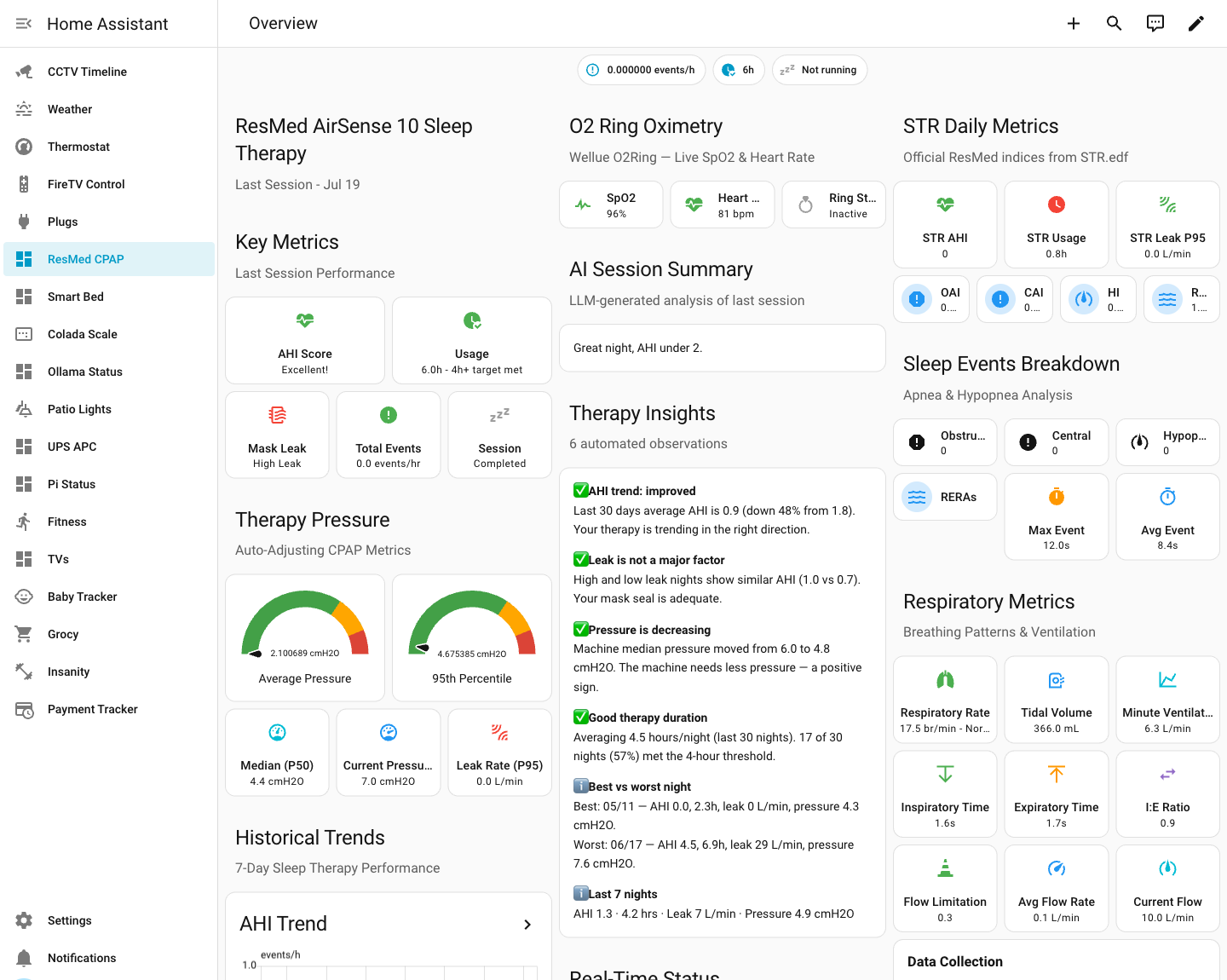
Adding the Wellue O2 ring is what changed the game for me.
HMS-CPAP queries the ring minute by minute too, and attaches each minute's SpO2 and heart rate to the same minute of breath data. So you are not eyeballing two separate graphs anymore. The desat and the event that caused it line up on the same timeline, on one screen. Seeing that correlation, live, in one place, was the moment this stopped being a hobby project and became the thing I actually use.
It sits right next to my lights
In Home Assistant my CPAP is not tucked away in some separate app I have to remember to open. It is just another item in the sidebar, right between my plugs and my smart bed, next to the thermostat and the weather and the baby tracker. You saw it in the shot above: last night's therapy sitting in the same list as the rest of the house.
Every morning I open Home Assistant, glance at last night, and get on with my day.
Make it yours
Home Assistant also hands you a whole configuration UI for free, and I use it constantly. I ship a dashboard you can import and be running in a minute, but you are not stuck with my layout. You can move things around, add your own sections, hide the metrics you do not care about, and surface the ones you do. It is your dashboard.
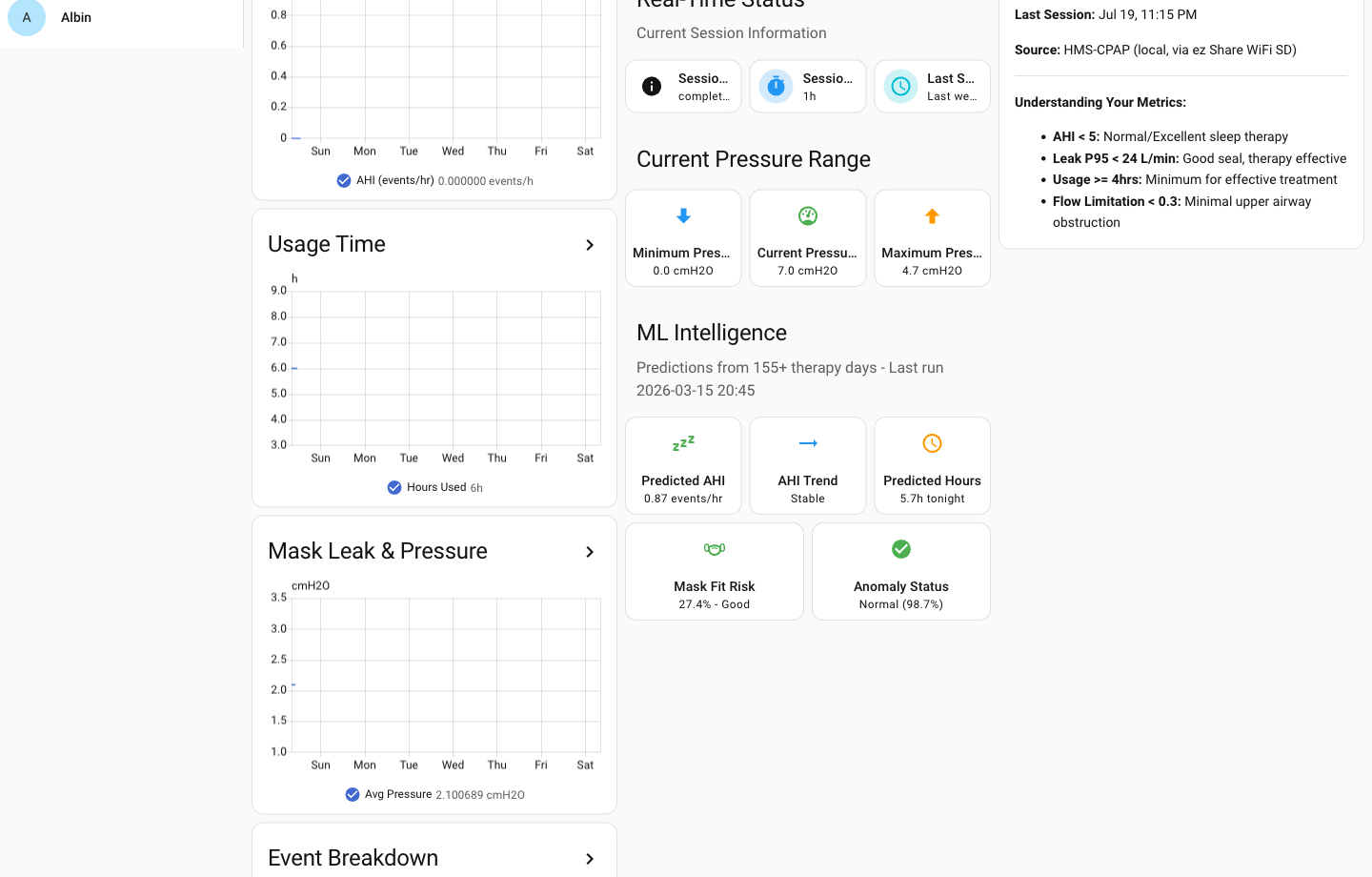
And the richer stuff rides the same rails. The daily plain-language summary, the machine-learning predictions that learn from your own history, I send those into MQTT as well, so they show up in Home Assistant next to everything else.
The setup is next, next, next
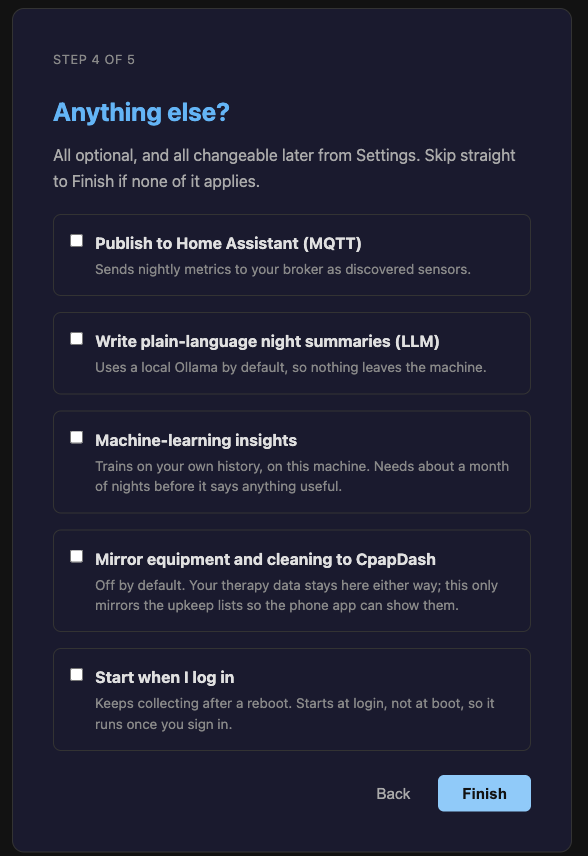
Getting there is a wizard, not a config file. HMS-CPAP talks to two things: your data source (the Mule and Miner, or the ezShare card directly) and your MQTT broker, which lives inside Home Assistant. You point it at both, click through a few steps, and it starts reading your nights and publishing them.
What you actually need
I will be honest about the one cost: Home Assistant needs somewhere to run. You can install it on your PC, but that is a steeper curve than most people want. The easier path is a small mini PC that sits on your network and runs Home Assistant, which is lightweight enough that a cheap little box handles it without breaking a sweat. It is the same kind of machine a lot of home-lab folks already have humming in a closet, and if you are the type who wants everything on your own hardware, it is absolutely worth it.
That is the scene that started it all
Long before the cloud and the app, this was the whole thing: my CPAP quietly reporting into Home Assistant every night, and me glancing at it every morning. It genuinely changed how I keep an eye on my own therapy. If you already run a home lab, or you have been meaning to start one, this is the setup I would point you to first.
That is what I wanted to show you today. Thanks for reading.